Early access · v0.3.2 · Windows & macOS

A tiny life on your desktop

Desklings is a life sim that lives along the bottom of your screen. Your Deskling works a real job, cooks, crafts, makes friends and dresses for your real weather, all without ever getting in the way of your work.

Free to play. Desklings Plus adds more from $3.99/month.

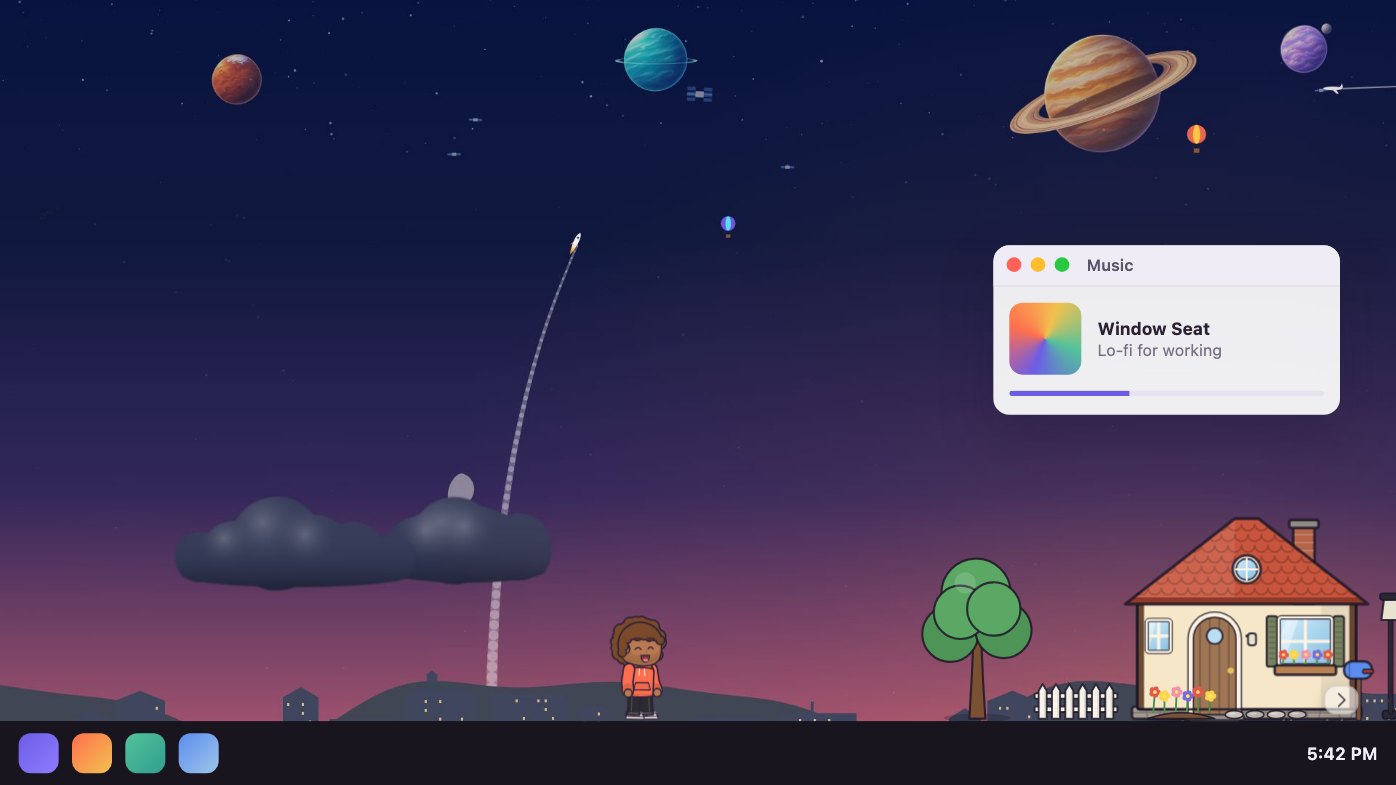
A Deskling on the desktop next to its cottage, with the live sky wallpaper behind: planets, satellites and a rocket launching at dusk
No window

It lives on your desktop

No app to open. Your Deskling walks along the bottom of your screen, just above the taskbar or dock, and its house sits in a corner.

Never in the way

Clicks pass straight through

Everything is click-through. Rest your cursor on your Deskling for a moment and it stops to say hi. Then you can click it, or pick it up.

Real time

Your clock, your weather

Day and night follow your clock. Rain, snow and sun come from your local forecast, and your Deskling dresses for it.

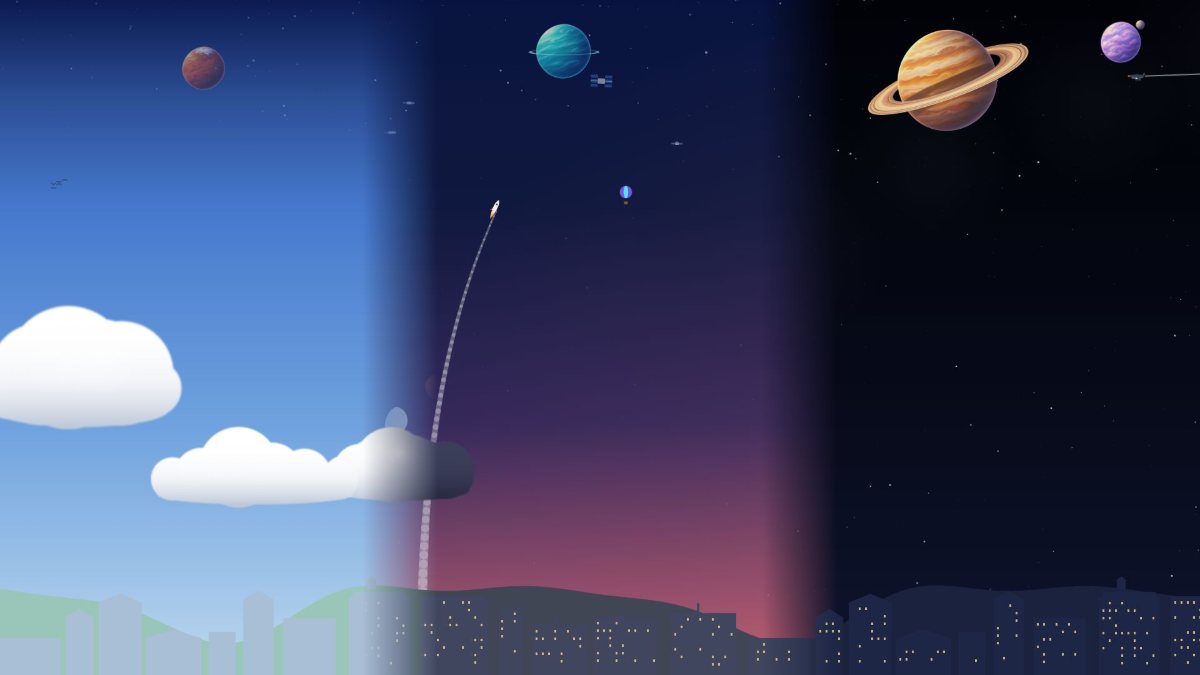
The live sky by day, at dusk and at night: planets, satellites and a rocket launch over the town
Live sky

A wallpaper worth looking at

Switch on the live sky and your desktop picture becomes a window: planets hang over your town, satellites drift past and now and then a rocket launches. The sun and moon cross the sky with your real time of day, moon phases and all, and your desktop icons stay right where they are.

Day, dusk and nightReal sun and moonRocket launches
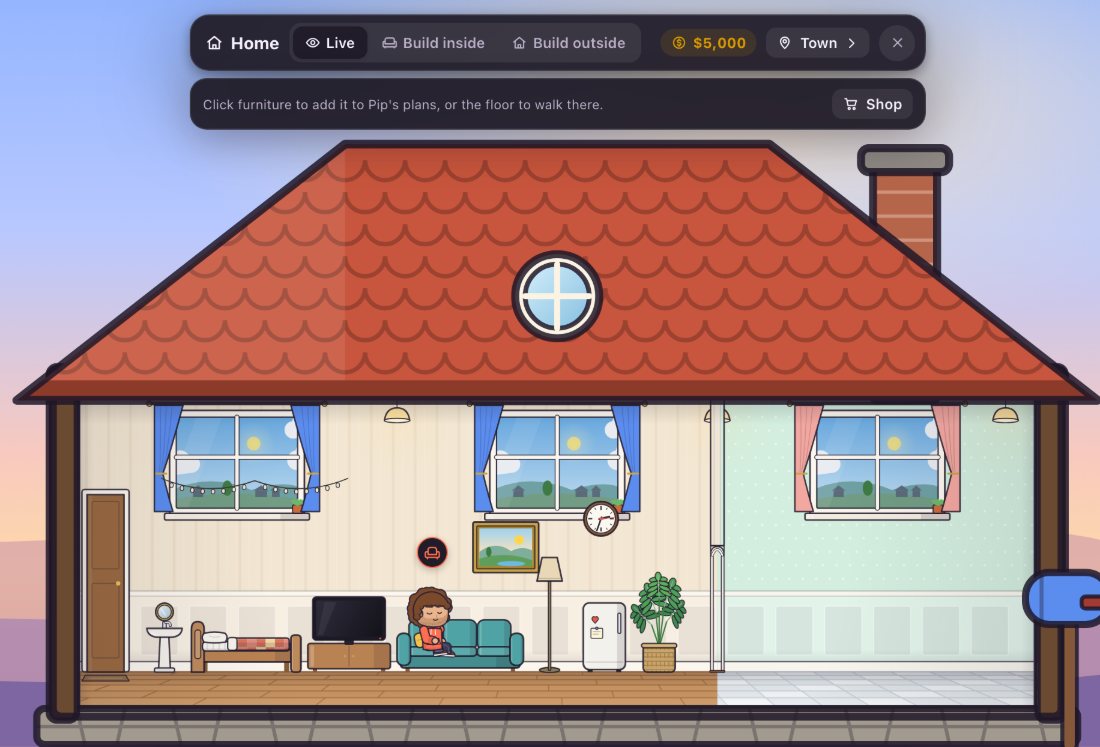
Inside the house: a Deskling relaxing on the couch, with a bed, TV, lamp, fridge and plant, and the build tools along the top
Home

A real little life

Hunger, energy, hygiene, fun, social and comfort. Your Deskling looks after itself with the furniture you buy, and keeps living while your computer sleeps. Open the house to watch them cook, nap and dance, or build it out room by room.

48 furniture pieces9 skillsRent or buy a home
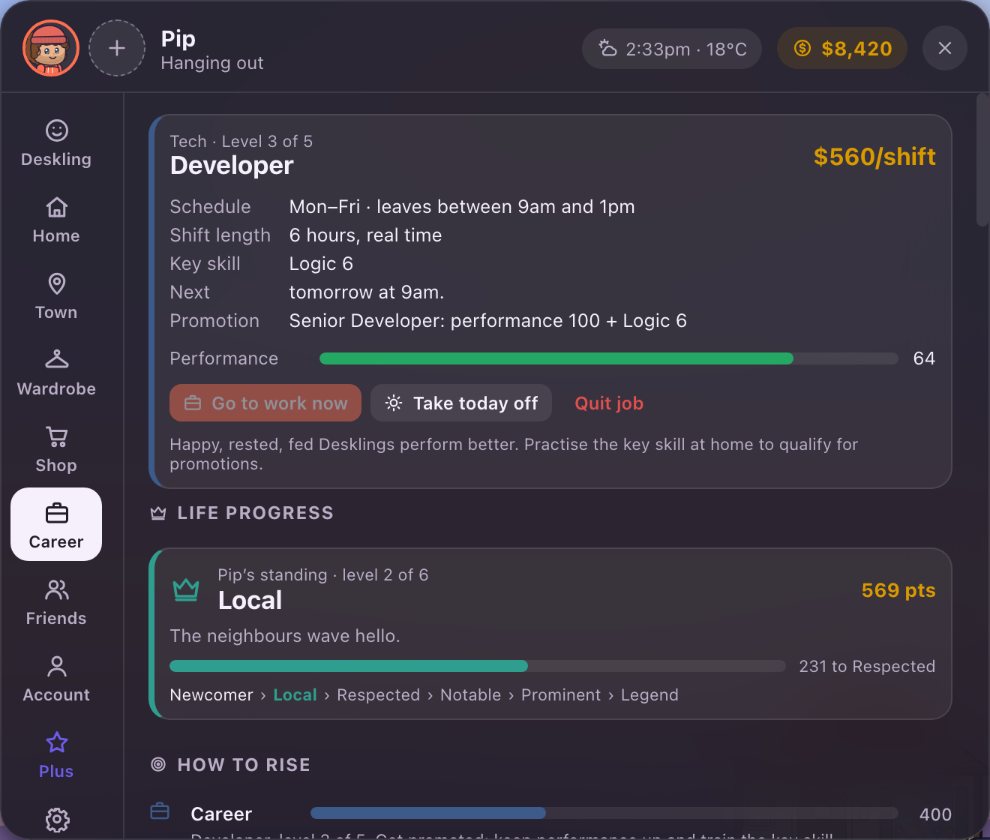
The Career tab: a Developer, level 3 of 5 in Tech, with the schedule, pay per shift, a performance bar and the Life progress ladder
Careers

A career that goes somewhere

Ten careers, from the café to the hospital to the fire station, with five levels each and real shifts that last real hours. Pick up quick gigs around town, study for a degree, and watch your Deskling climb from Newcomer to Legend.

10 careersReal-hour shiftsCollege degrees
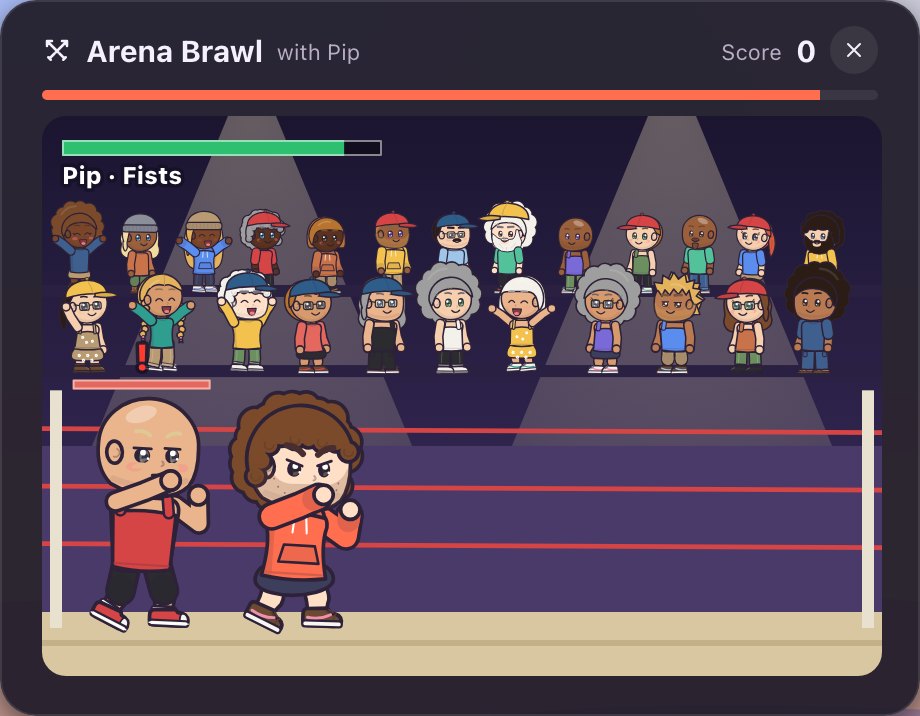
Arena Brawl: a Deskling squares up to a challenger in a boxing ring in front of a cheering crowd
Play

Mini games, and a little action

Rush a meal in the kitchen, reel in a fish, paint a picture that hangs on your wall, or win a sing-off for prize money. Every game is something your Deskling can also do alone: press Play and they head there and do it with you. Skills make every game easier. Feeling bold? Step into the arena, the archery range or a police patrol: cartoon knockouts, no blood, and fighting can be switched off.

13 mini gamesSkills make them easierFighting is optional
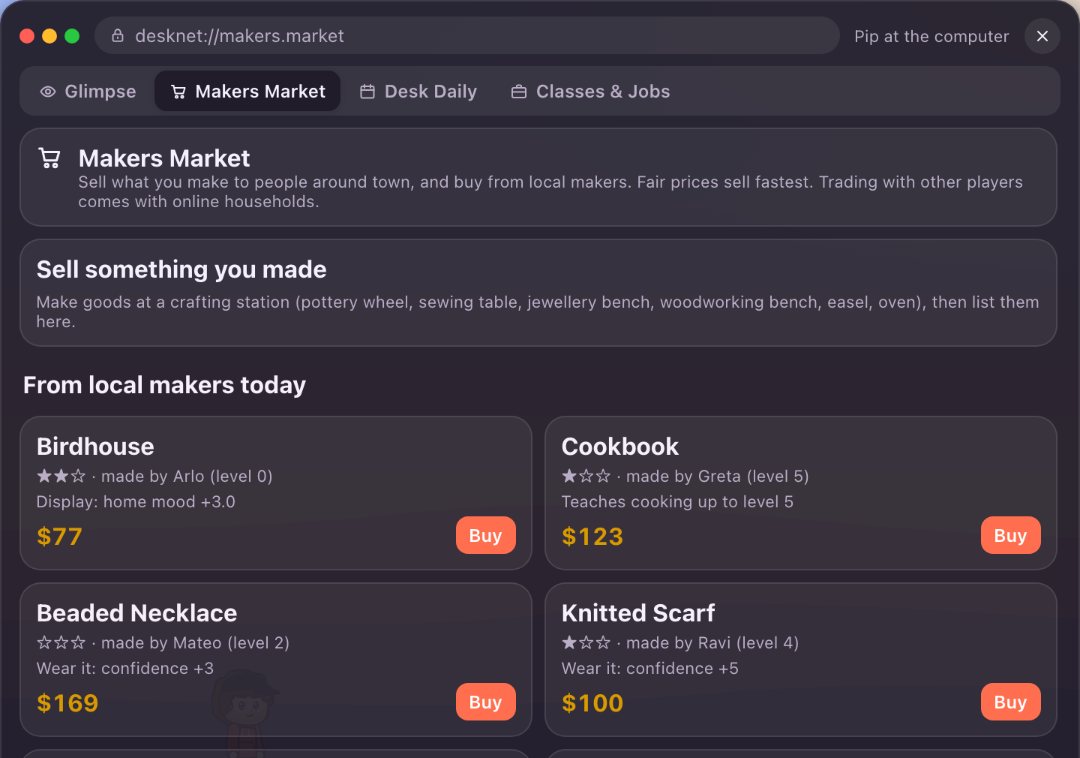
The Makers Market on DeskNet: goods from local makers with prices and Buy buttons
Make & sell

Craft it, price it, sell it

Throw pots, sew, make jewellery, work wood, paint and bake, then list what you make on the Makers Market at your own price. Townsfolk buy what's fairly priced, even while the app is closed, and local makers put up something new every day.

6 crafting stationsYour own pricesSells while you're away
Town

A whole town to explore

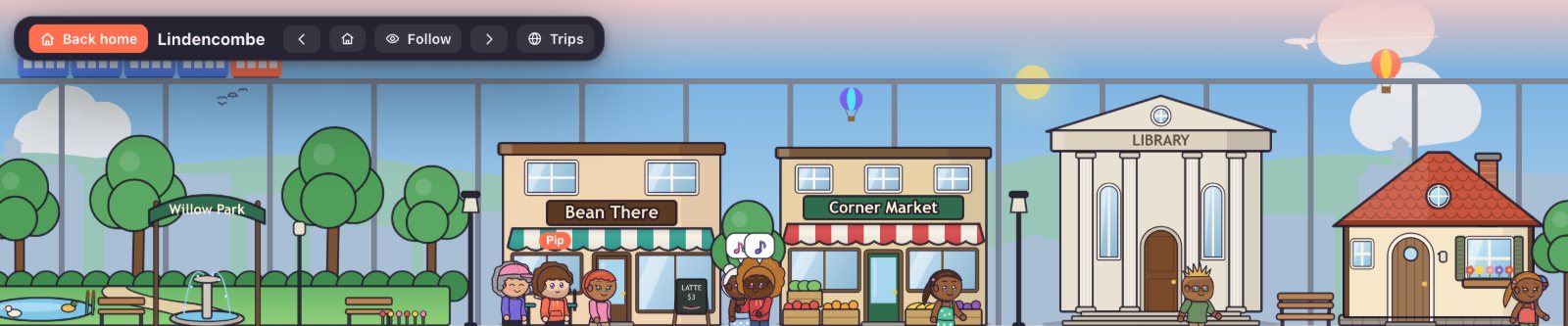
Pan along the street to the café, park, library, shops and more. Townsfolk keep their own routines and become friends, the town takes the name of the city you're in, and trips fly your Deskling off to real places.

Townsfolk with routinesNamed after your cityTrips to 8 real places
The town street: Willow Park, the Bean There café, the Corner Market, the library and a cottage, with townsfolk out and about
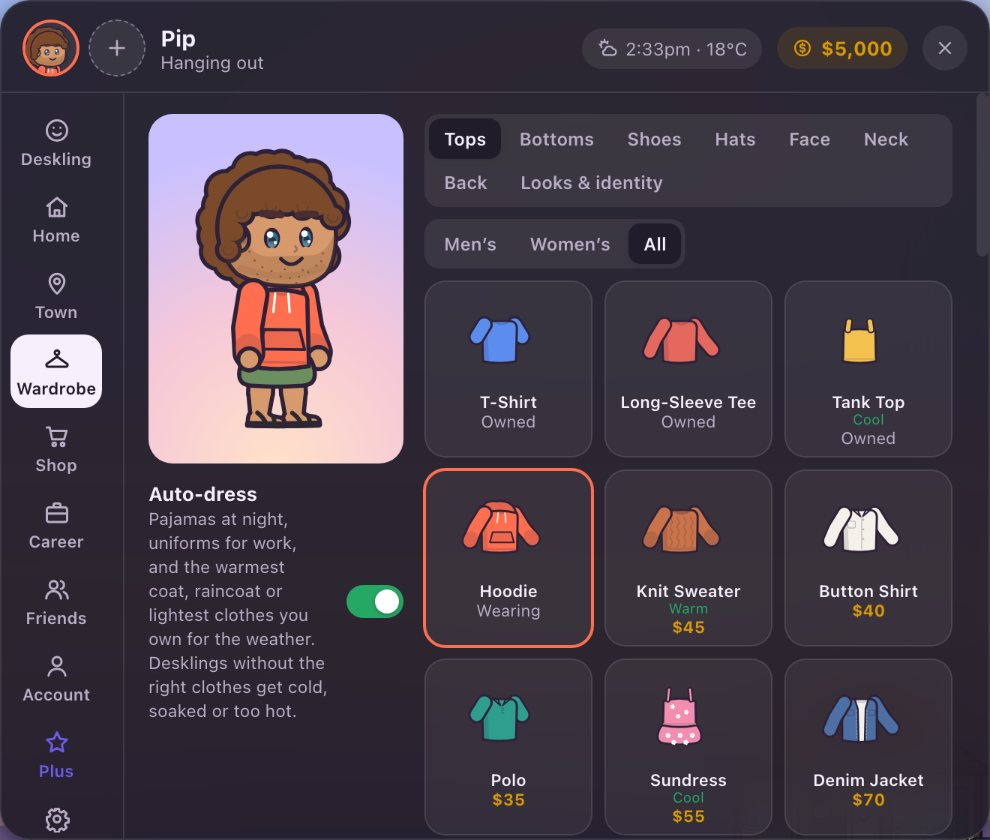
The wardrobe: tops with Men's, Women's and All filters, and a Deskling in an orange hoodie
Style

Dress them your way

93 clothing pieces, from tees and sundresses to a tux and a cape, sorted into men's and women's with everything one tap away, and every piece recolourable. Auto-dress handles pyjamas, raincoats, winter coats and work uniforms.

93 clothing pieces16 hairstylesRecolour anything
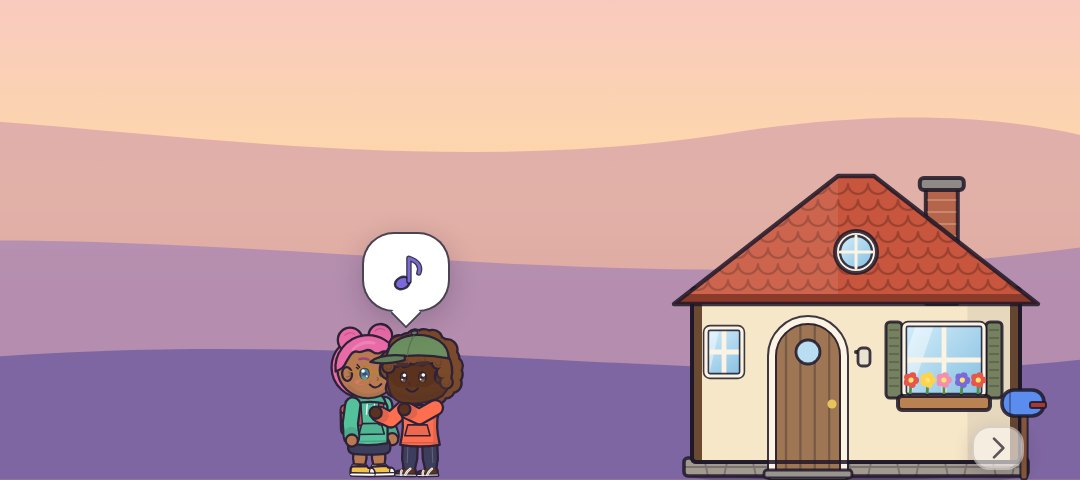
A friend's Deskling visiting: the two Desklings hug in front of the house
Friends

Visit the computer next to you

When a friend runs Desklings on the same Wi-Fi, your Desklings find each other. One walks off your screen and onto theirs, they hang out, then head home. Desklings from both computers meet in town too. With Desklings Plus you can visit friends anywhere with a friend code.

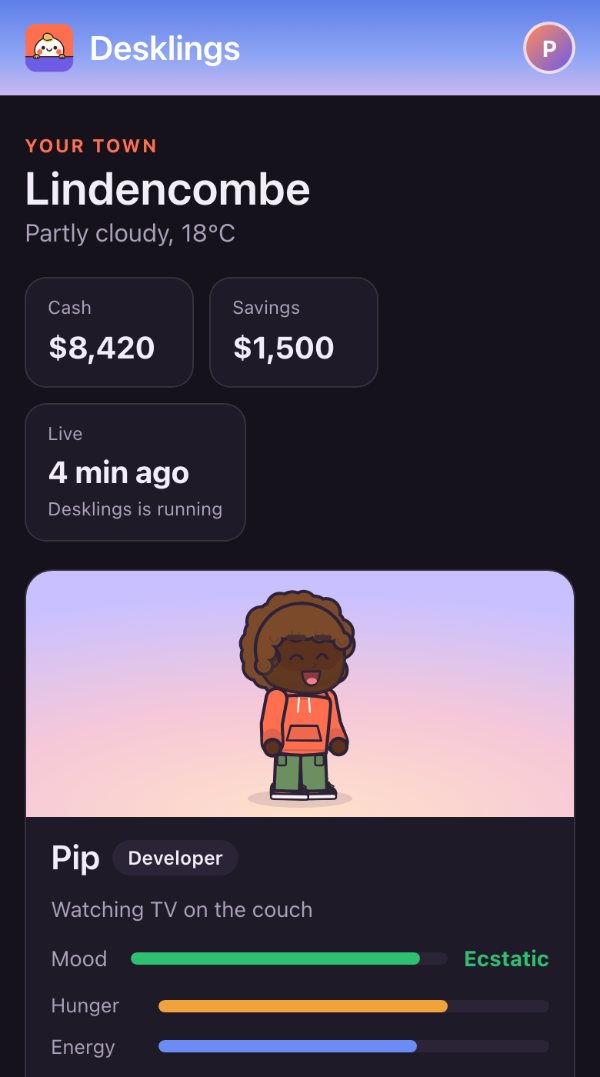
My Desklings on a phone: your town, cash and savings, and a Deskling's mood and what they're doing right now
Your account

Check in from anywhere

Sign in with one free account and see your Desklings on your phone or any browser: how everyone feels, what they're doing and where they are. The same account keeps Desklings Plus and your packs on every computer you use.

Free accountWorks on your phone

Open My Desklings →

Pricing

Free to play. Plus if you want more.

Free
$0
  • Your Deskling, house and town
  • Careers, gigs, skills and the shop
  • Mini games, crafting and the Makers Market
  • The live sky wallpaper
  • Real time and real weather
  • Visits over your home network
  • My Desklings on the web
Desklings Plus
$3.99 / month
  • The Plus collection: Dream Bed, Grand Piano, Aquarium, the Modern house, crown, cape, wings, tux and more
  • Up to 4 Desklings as roommates
  • Online visits with a friend code
  • $75 a day of in-game cash
  • Free delivery to your door
  • Exotic trips: Ubud and Tromsø
  • Or $29.99 a year
Packs
$1 each
  • Cozy Cabin: log bed, wood stove, the Cabin house
  • Neon Arcade: arcade cabinet, neon sign, the Neon house
  • Moving-In Bundle: a head start
  • Yours forever

See what’s inside every pack, and the current deal, in the shop

Download

Get Desklings

Early access. Unzip, run, and your Deskling moves in. The app fetches the newest version (0.3.2) by itself and installs it the next time it starts, and keeps itself up to date from then on. Or try it in your browser first.

Installing on Windows

  1. If your browser says the file isn't commonly downloaded, choose Keep. Early builds aren't signed yet.
  2. If the file shows up with a jumbled name and no .zip at the end (family- and school-managed browsers sometimes do this), rename it to Desklings.zip.
  3. Right-click the zip and choose Extract All. Opening the app from inside the zip won't work.
  4. Open the new Desklings folder and run Desklings.exe.
  5. If a blue "Windows protected your PC" box appears, click More info, then Run anyway.
  6. Your Deskling appears along the bottom of the screen. Its icon is in the tray by the clock (click ^ if you don't see it).
  7. Allow network access if asked, so friends' Desklings can visit.

Installing on macOS

  1. Unzip and drag Desklings into Applications.
  2. Open it. If macOS says it can't check the app, click Done, then go to System Settings → Privacy & Security and click Open Anyway. On macOS 14 or older, you can right-click the app and choose Open instead. Early builds aren't notarized yet.
  3. Desklings lives in the menu bar: look for the little round head.

Questions

Will it slow my computer down?

No. It draws a handful of small sprites and sleeps the rest of the time. Clicks go straight through to your apps, and on macOS it hides during full-screen apps.

What is the live sky?

An optional animated wallpaper. Turn on Live sky wallpaper in Settings and your desktop picture is replaced by your real sky and weather, with planets, satellites and the odd rocket launch, and the sun and moon where they really are for your time of day. Your desktop icons stay on top. Switch it off and your usual desktop picture is back.

Do I need an account?

No. Everything works without one. A free account lets you check on your Desklings from your phone (My Desklings), keeps Desklings Plus and your packs on every computer you sign in on, and lets you add friends. Signing in only needs your email address: we send you a 6-digit code, so there's no password to remember.

Does it need the internet?

No. Your Desklings live on your computer and everything works offline, including the Makers Market, where townsfolk buy what you make. The internet is used for your local weather, updates and, if you choose, your account, online visits and My Desklings. Trading with other players comes later, with online households.

What does it do with my location and data?

If you choose automatic weather, it looks up your approximate city from your internet address to fetch the local forecast and name your town. You can pick a city instead or turn weather off. If you sign in, the app sends a short summary of your household (names, looks, moods, what they're doing, your town's name and weather) to your account every few minutes so you can see it on My Desklings. You can switch that off in the app's Account tab or remove it from the website at any time.

How do visits work?

Computers running Desklings on the same network find each other automatically. Every computer has its own town, and nearby players show up in yours as ghosts. Click a ghost to invite them to your town, or your house too, or ask to visit theirs. Your Deskling flies over and comes home when the visit ends. You choose who can walk in, who knocks first, and who can't visit at all.

Does my Deskling really go to work?

Yes. Jobs have real days and start times, and shifts last 4 to 8 real hours depending on the level. You can call your Deskling home early, but leaving early too often can get them fired.

Is it really free?

Yes. The whole game is free. Desklings Plus and the packs add extra furniture, outfits, roommates and trips.